PF Transfer When You Change Jobs: Step-by-Step on the EPFO Portal (and Fixing Errors)
Every time you change jobs, your new employer opens a fresh PF account under your Universal Account Number (UAN). Your old balance doesn't move by itself in every case — and millions of Indians end up with scattered PF accounts, broken service history and avoidable tax headaches.
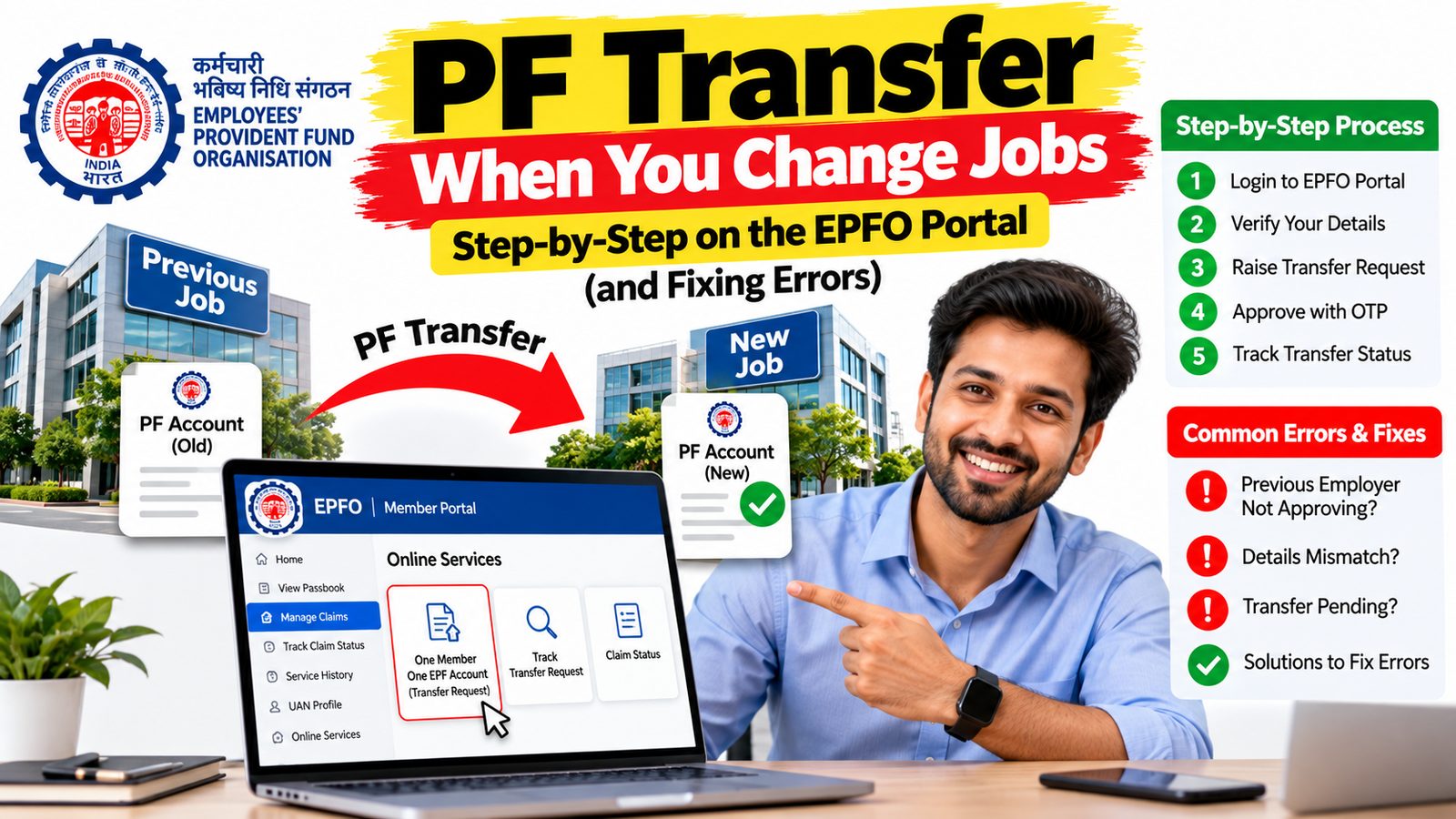
The good news: transferring PF has become much easier. Since 2025, EPFO has removed most employer approvals, and in 2026 it introduced automatic transfers for many members with Aadhaar-linked UANs. When auto-transfer doesn't kick in, you can file the transfer yourself online in about 10 minutes.
This guide explains why transferring beats withdrawing, how the new automatic transfer works, what to check before you start, how to file Form 13 step by step, how to track it, and how to fix the errors that stop most transfers.
Why transfer instead of withdrawing
It's tempting to withdraw your old PF when you switch jobs, especially if the balance is small. In most cases, transferring is the better choice:
- Tax-free status depends on continuous service. EPF withdrawals are generally tax-free only after five years of continuous service. Service with previous employers counts towards those five years only if the PF is transferred to your current account. Withdraw early and the amount can become taxable, with TDS deducted on larger withdrawals.
- Pension (EPS) eligibility. You need 10 years of service to qualify for an EPS pension. A transfer carries your pension service forward; a withdrawal can break it.
- Compounding. Your PF keeps earning the EPF interest rate, which is among the best risk-free returns available to salaried employees. Withdrawing interrupts that.
- Cleaner records. One consolidated account makes future withdrawals, loans and verification easier — and background verification agencies increasingly check your UAN service history.
Withdraw only if you genuinely need the money or are leaving salaried employment for good. Even then, consider partial withdrawals for specific needs, which EPFO allows for purposes like medical treatment, education, marriage and housing.
What's changed: automatic transfers and fewer approvals
January 2025: no more employer gatekeeping in most cases. The Labour Ministry launched a simplified process: members with fully e-KYC-compliant EPF accounts can file online transfer claims with an Aadhaar OTP directly with EPFO, without employer intervention (Tribune). The revamped Form 13 also removed approval at the destination office, so once your old (source) office approves, the money moves (RTI Wiki).
2026: automatic transfers. After EPFO moved its member database to the new Centralised IT Enabled Services (CITES) platform, it introduced automatic transfer of PF balances for members whose UAN is linked with Aadhaar — no separate transfer request needed (Outlook Money). In practice, guides report the old account is merged once your new employer deposits its first PF contribution and your records match across both employers (Sahi).
New "Claim" link. EPFO now also lets you start a transfer from a "Claim" link inside the Member Service History tab, in addition to the usual Online Services route. Both lead to the same Aadhaar-OTP-verified Form 13 flow (Sahi).
So do you still need to do anything? Check your passbook a month or two after your new employer's first contribution. If the old balance has moved, you're done. If it hasn't — often because of a mismatch in name, date of birth or Aadhaar, a missing exit date, or a second UAN — file Form 13 manually using the steps below.
Before you start: five things to check
Most failed transfers come down to one of these. Check them on the EPFO Unified Member Portal (unifiedportal-mem.epfindia.gov.in) before filing anything.
- One UAN only. Your new employer should have linked your new Member ID to your existing UAN. If they created a new UAN, see the errors section below.
- UAN activated, with a working mobile number. You'll need OTPs.
- KYC complete and approved. Aadhaar, PAN and bank account should be seeded and verified (Manage → KYC) (epfoin.com).
- Personal details match Aadhaar. Name, date of birth, gender and father's name must match across Aadhaar and both employers' records. Mismatches are one of the most common reasons transfers fail (Outlook Money).
- Date of Exit (DoE) marked for your old job. Check under View → Service History. Without an exit date, your old employer may not show up in the transfer form (Team-BHP).
Also check your old account's passbook: all employee, employer and EPS contributions should be updated up to your exit month.
Step by step: file a PF transfer online (Form 13)
Use this if your old balance hasn't moved automatically.
- Log in to the EPFO Unified Member Portal with your UAN, password and captcha.
- Open the transfer request. Go to Online Services → One Member – One EPF Account (Transfer Request) (RTI Wiki). Alternatively, open View → Service History and click the new Claim link next to the old employer.
- Check your details. Confirm your name, current Member ID and bank details for your present employment.
- Fetch your previous account. Click Get Details. The portal lists Member IDs linked to your UAN; select the old account you want to move. If it doesn't appear, check whether the exit date is marked (see the errors section).
- Choose who attests, if asked. Members with fully e-KYC-compliant accounts can now usually file directly with EPFO without employer attestation (Tribune). If the portal still asks you to choose an employer, choose your current one if they're responsive.
- Verify with Aadhaar OTP and submit (Sahi).
- Download the acknowledgement and note the tracking ID.
The portal's screens and menu names changed during EPFO's 2026 system migration, so labels may differ slightly from older guides. Only one transfer request can be pending against each previous Member ID, so don't file duplicates (BasuNivesh).
Tracking your transfer
Where to check. On the member portal, go to Online Services → Track Claim Status. You can also check the EPFO passbook portal: the old account should show a debit (transfer out), and the new one a credit (transfer in).
How long it takes. Guides report a few days to a couple of weeks in normal times, faster now that destination-office approval has been removed (Sahi). Delays happen with mismatched records, exempted (trust-managed) PF accounts and pension (EPS) details.
Confirm everything moved. After settlement, check:
- Your old account balance is zero.
- The new account shows the transferred amount, including interest.
- Your service history shows continuous service, and the EPS (pension) service is carried forward.
- You can download Annexure K — the transfer certificate that records your accumulations, service history and Member IDs (Outlook Money).
If it's stuck. Raise a grievance on EPFiGMS (epfigms.gov.in) with your UAN, Member IDs, claim ID and a clear description, or visit your regional PF office (Outlook Money). Grievances usually get a response within a few weeks; follow up if not.
Common errors and how to fix them
| Problem | Likely cause | Fix |
|---|---|---|
| Old employer doesn't appear in the transfer form | Date of Exit not marked | Mark it yourself under Manage → Mark Exit, usually possible two months after leaving with Aadhaar OTP; otherwise ask your old employer or raise an EPFiGMS grievance with your UAN, Member ID and relieving letter (Reddit snapshot) |
| Name, date of birth or other details don't match | Typos or differences between Aadhaar and employer records | Correct details online via joint declaration; Aadhaar-verified members can now self-correct most common errors without employer approval (Tribune) |
| Two UANs | New employer created a fresh UAN instead of using your existing one | Email uanepf@epfindia.gov.in with both UANs and identity details, or ask your employer, to deactivate the old UAN and link its Member ID to the current one; then transfer (MyMoneySage) |
| "Multiple Member IDs linked to your UAN" when withdrawing | Older accounts never transferred | Transfer all old accounts to your current Member ID first (MyMoneySage) |
| KYC not approved | Aadhaar, PAN or bank not verified | Complete KYC under Manage → KYC and ask your employer to approve if pending |
| Transfer rejected: "EPS details not received" or DOJ mismatch | Incomplete pension or service data at the old office | Ask your old employer to correct the ECR data, then refile; raise an EPFiGMS grievance if they don't respond (BasuNivesh) |
| Old or new employer runs an exempted PF trust | Trust-managed PF follows a separate process | Submit Form 13 to the trust; the EPS portion may need a separate claim via the member portal (Outlook Money) |
| Old company has shut down | No employer to mark exit or attest | Mark exit yourself if allowed; otherwise raise a grievance with proof of employment |
| Transfer shows as settled, but money isn't in the new account | Processing gap between offices | Check both passbooks, download Annexure K, and raise an EPFiGMS grievance with the claim ID |
Tip: read the rejection reason carefully — EPFO usually states exactly what's wrong. Fix that one item, then refile.
Job-switch PF checklist
At joining
- Give your new employer your existing UAN — never let them create a new one
- Confirm your new Member ID appears under your UAN within a month or two
After your first salary
- Check your passbook: has the old balance moved automatically?
- If not, check KYC, personal details and exit date, then file Form 13
After the transfer
- Old account at zero, new account credited with interest
- Service history continuous; Annexure K downloaded
- Keep your relieving letter, payslips and UAN passbook — background verification checks them
The bottom line: PF transfers are far simpler than they were. With an Aadhaar-linked UAN and clean records, the money may move on its own; if not, a 10-minute online request usually does it. Fix your details once, keep one UAN for life, and your PF — and future background checks — will thank you.